I created a programmer- & umlaut-friendly US International keyboard layout for MacOS without dead keys. [Download Layout]
Please remember, I am from Germany, so the layout mostly fits my needs and probably those who want to write Spanish, Danish, Swedish or Finnish. “Teuto-Scandinavian vivo-programming layout” would probably be a more fitting name.

Requirements
I have the following requirements for a keyboard layout:
- US Layout for quick (
[{}]) bracket access - Quick umlaut (
äöüß) access for writing German - no dead keys (
`~^), because those are annoying - work properly on ANSI and ISO keyboards, as I use both
The standard MacOS US-International keyboard does not meet these requirements.
It does contain dead keys. No quick access to umlauts is given, instead it
exposes eccentric symbols like the sum sign ∑. Furthermore on ISO-Keyboards
(e.g. German Macs) the key left of 1 is mapped to §/± instead of `/~.
Implementation details
During the implementation I looked at the US-International keyboard layout on Wikipedia, but made some adjustments.

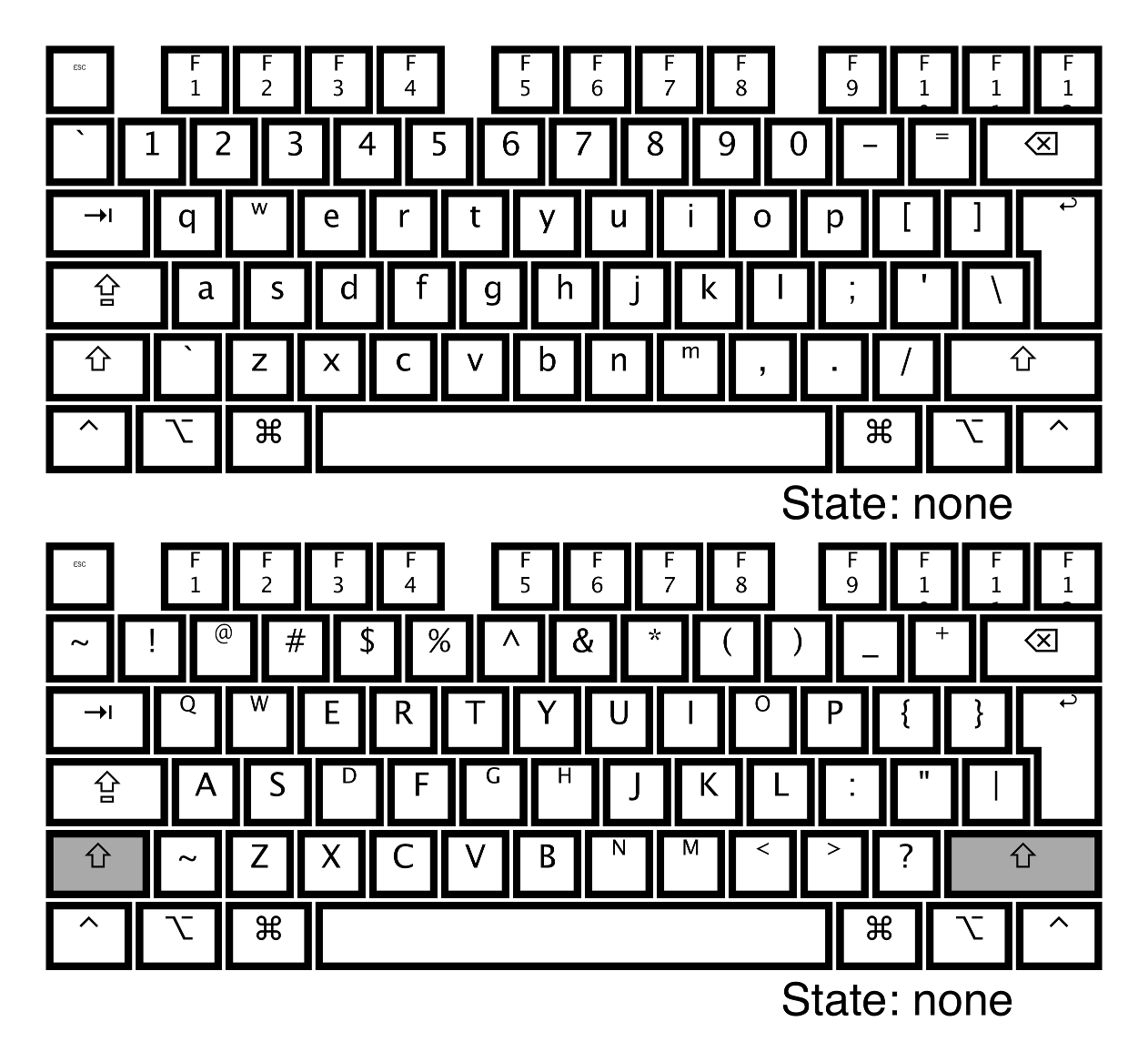
The only adjustment made in the normal plane is the key left to the 1. It is
now properly mapped to `/~. Please note that the key left of Z has the
same mapping. This is necessary for proper ANSI/ISO interoperability.
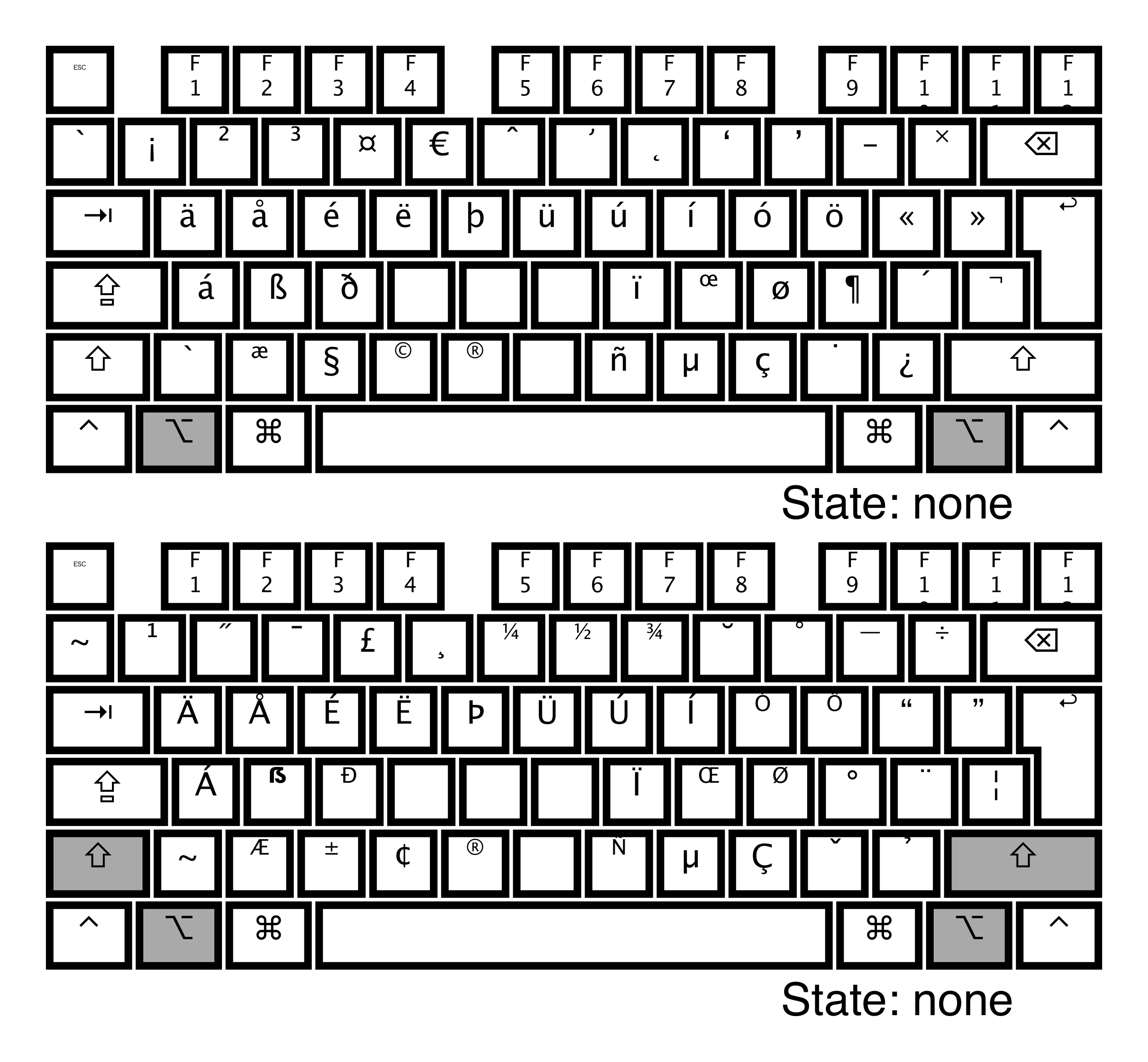
This is the plane that makes the Europeans happy. A lot of people should find their accented characters and umlauts. The main differences to the “official keyboard”:
⌥+⇧+Xmaps to the big eszettẞinstead of the section sign⌥+(⇧)+Xmaps to§/±instead of nothing⌥+Rmaps toëinstead of®⌥+Vmaps to “the rights reserved” sign®(memory hook: right of©)⌥+Jand⌥+Kmap toïandœ⌥+(⇧)+-maps to en-dash/em-dash (–/—) instead of the Yen sign
Conclusion
The only caveat I see so far is that accent circonflexe and accent grave are not supported, which does not hurt me, as I do not write that much French. If I ever need to type another character based on a vowel, I just press the vowel longer to open the MacOS “vowel selection”.
If you want me to adjust a mapping, write an issue, otherwise feel free to fine-tune the mapping yourself with the help of Ukulele.